Screen-Space Perceptual Rendering of Human Skin
1. Introduction
Subsurface scattering (SSS) is a light transport phenomenon where photons penetrate a translucent surface, scatter within the material, and exit at a different point. Human skin is a particularly important case: it consists of multiple translucent layers (epidermis, dermis, subcutaneous tissue) that scatter light at different rates depending on wavelength. Red light penetrates deeper than blue, producing the characteristic warm, soft appearance of skin.
Traditional approaches simulate SSS in texture space, which requires UV-unwrapped geometry and does not scale well when multiple characters are on screen. Jimenez et al. (2009) proposed a screen-space approach that translates the diffusion simulation into a post-processing step, making it easy to integrate into existing rendering pipelines.
This project implements a real-time screen-space SSS renderer in WebGPU, featuring two blur modes (separable kernel and full 6-Gaussian), GGX PBR shading, bloom, tone mapping, and interactive controls for all parameters.
2. Method
2.1 Rendering Pipeline
The renderer uses a multi-pass deferred pipeline:
- G-Buffer Pass — Renders the scene to four render targets using MRT (Multiple Render Targets): diffuse irradiance (rgba16float), specular highlights (rgba16float), linear depth (r32float), and a matte mask (r8unorm) distinguishing skin from non-skin objects.
- SSS Blur Pass — Applies screen-space subsurface scattering to the diffuse channel only, using the depth buffer to modulate blur width.
- Bloom Pass — Extracts bright pixels above a threshold, applies a separable Gaussian blur, and stores the result for additive compositing.
- Composite Pass — Combines the (blurred) diffuse, specular, bloom, and matte channels, applies Reinhard tone mapping and sRGB gamma correction, and outputs to the canvas.
2.2 Separable SSS Blur
Following Jimenez et al. (2015), the SSS blur is implemented as a separable two-pass filter (horizontal then vertical) using a pre-computed 11-sample kernel derived from the sum-of-Gaussians diffusion profile. The kernel weights and offsets are taken from the reference implementation (SeparableSSS.h, Quality 0).
The blur width at each pixel is modulated by depth to ensure that scattering occurs on the object surface rather than in screen space:
$$s = \frac{1 / \tan(\text{fovy}/2)}{d}$$ $$\Delta = \frac{w \cdot s \cdot \vec{d}}{3}$$where $w$ is the SSS width parameter (default 0.015), $d$ is the linear depth at the pixel, and $\vec{d}$ is $(1,0)$ for the horizontal pass and $(0,1)$ for the vertical pass.
2.3 6-Gaussian Mode (d'Eon et al. 2007)
As an alternative to the single-kernel approximation, the renderer also implements the full 6-Gaussian diffusion profile from d'Eon et al. (2007). Each Gaussian has a different variance and per-channel (RGB) weight:
| i | $\sigma_i$ | $w_R$ | $w_G$ | $w_B$ |
|---|---|---|---|---|
| 0 | 0.0064 | 0.233 | 0.455 | 0.649 |
| 1 | 0.0484 | 0.100 | 0.336 | 0.344 |
| 2 | 0.187 | 0.118 | 0.198 | 0.000 |
| 3 | 0.567 | 0.113 | 0.007 | 0.007 |
| 4 | 1.99 | 0.358 | 0.004 | 0.000 |
| 5 | 7.41 | 0.078 | 0.000 | 0.000 |
Red light has significant weight at wide variances (σ4=1.99, σ5=7.41), causing it to scatter much further than blue, which is concentrated at narrow variances. This produces the physically correct per-channel color bleeding visible at shadow boundaries.
Each Gaussian is applied as a separate separable blur (H+V), and the results are accumulated with additive blending using per-channel weights. This requires 1 clear + 6×(2 blur + 1 accumulation) + 1 copy = 20 render passes total, compared to just 2 for the separable mode.
2.4 BRDF Models
Two BRDF models are available, switchable at runtime:
- Blinn-Phong — Classic empirical model with a roughness-dependent shininess exponent.
- GGX PBR — Microfacet BRDF: $f_r = f_d + f_s$ where $$f_d = \frac{\rho}{\pi}(1 - F_0), \quad f_s = \frac{D \cdot F \cdot G}{4}$$ with Trowbridge-Reitz NDF $D$, Schlick Fresnel $F$, and Smith $G$. $F_0 = 0.04$ for dielectric (skin). Adapted from Assignment 4/6.
3. Implementation
3.1 WebGPU Architecture
The application is built with vanilla JavaScript (ES modules) and WGSL shaders, served as
static files. The head mesh (Lee Perry-Smith, CC BY 3.0) was pre-processed offline using
Python's trimesh library into typed arrays exported as an ES module,
eliminating the need for a runtime OBJ parser.
3.2 G-Buffer MRT
WebGPU's multiple render targets allow the G-Buffer pass to output all four channels in a
single draw call. The pipeline targets array and render pass
colorAttachments must match exactly in format and count.
A notable constraint: the r32float depth texture requires
sampleType: "unfilterable-float" in the bind group layout and must be read with
textureLoad rather than textureSample. This required explicit
(non-auto) bind group layouts for both the SSS blur and composite pipelines.
3.3 WGSL Constraints
WGSL enforces uniform control flow for textureSample calls. Since the SSS blur
shader contains an early return for background pixels (depth-dependent), all texture sampling
uses textureSampleLevel instead, which does not have this restriction.
3.4 Albedo Texture
The Lee Perry-Smith head model includes an albedo texture (lambertian.jpg).
The OBJ file was parsed manually (rather than using trimesh's default processing) to preserve
UV coordinates at seam boundaries. Each unique combination of (position, UV, normal) indices
produces a separate vertex, expanding the mesh from 8,844 to 35,368 vertices.
Two issues arose during integration. First, vertex normals read directly from the OBJ file produced incorrect lighting — recomputing normals from face geometry resolved this. Second, splitting vertices at UV seams created hard edges where normals were not averaged across the seam. This was fixed by grouping vertices that share the same position and averaging their accumulated face normals, regardless of UV assignment.
The texture is stored in sRGB color space (JPEG) and must be linearized in the shader via
pow(texColor, 2.2) before use in lighting calculations, as the entire pipeline
operates in linear space until the final sRGB conversion in the composite pass.
3.5 Per-Object Materials
To support mixed skin/non-skin scenes, a per-object uniform buffer is bound at
@group(1) @binding(0), containing albedo color and a matte flag. The matte
value (1.0 for skin, 0.0 for non-skin) controls both SSS application and composite blending.
Non-skin objects (teapot, sphere) use a 1×1 white dummy texture and receive their color
from the uniform buffer instead.
4. Results
4.1 SSS On vs Off
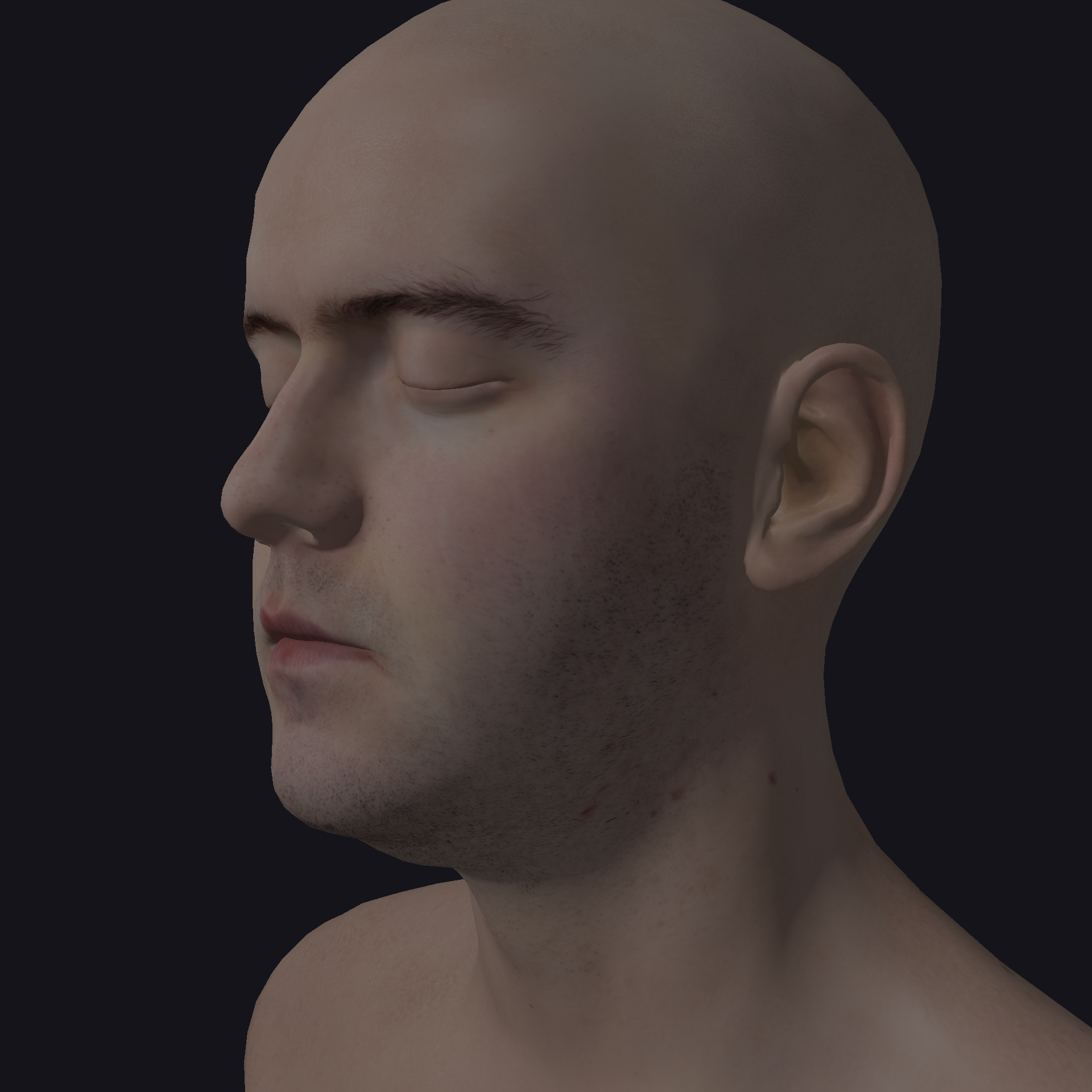
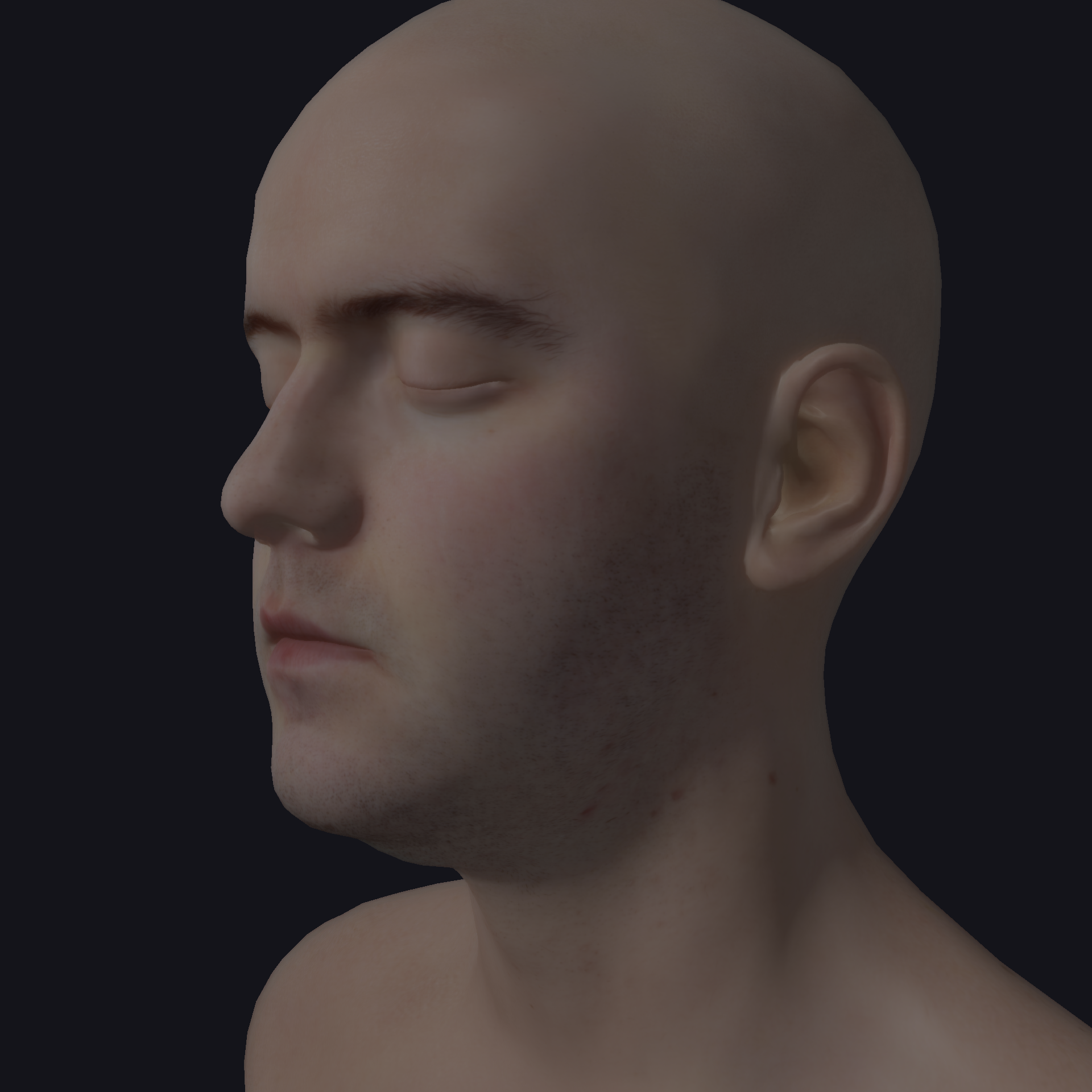
Figure 1: Comparison with SSS disabled (left) and enabled (right). Note the softened shadow boundaries and warmer appearance with SSS.
An interesting observation is that the SSS effect varies with camera distance. As the camera moves closer, the depth-based scale factor $s = \frac{1/\tan(\text{fovy}/2)}{d}$ increases, producing a wider blur and more pronounced scattering. At greater distances, the blur narrows and SSS becomes subtle. This matches real-world perception — skin translucency is most noticeable in close-up views.
4.2 Separable vs 6-Gaussian
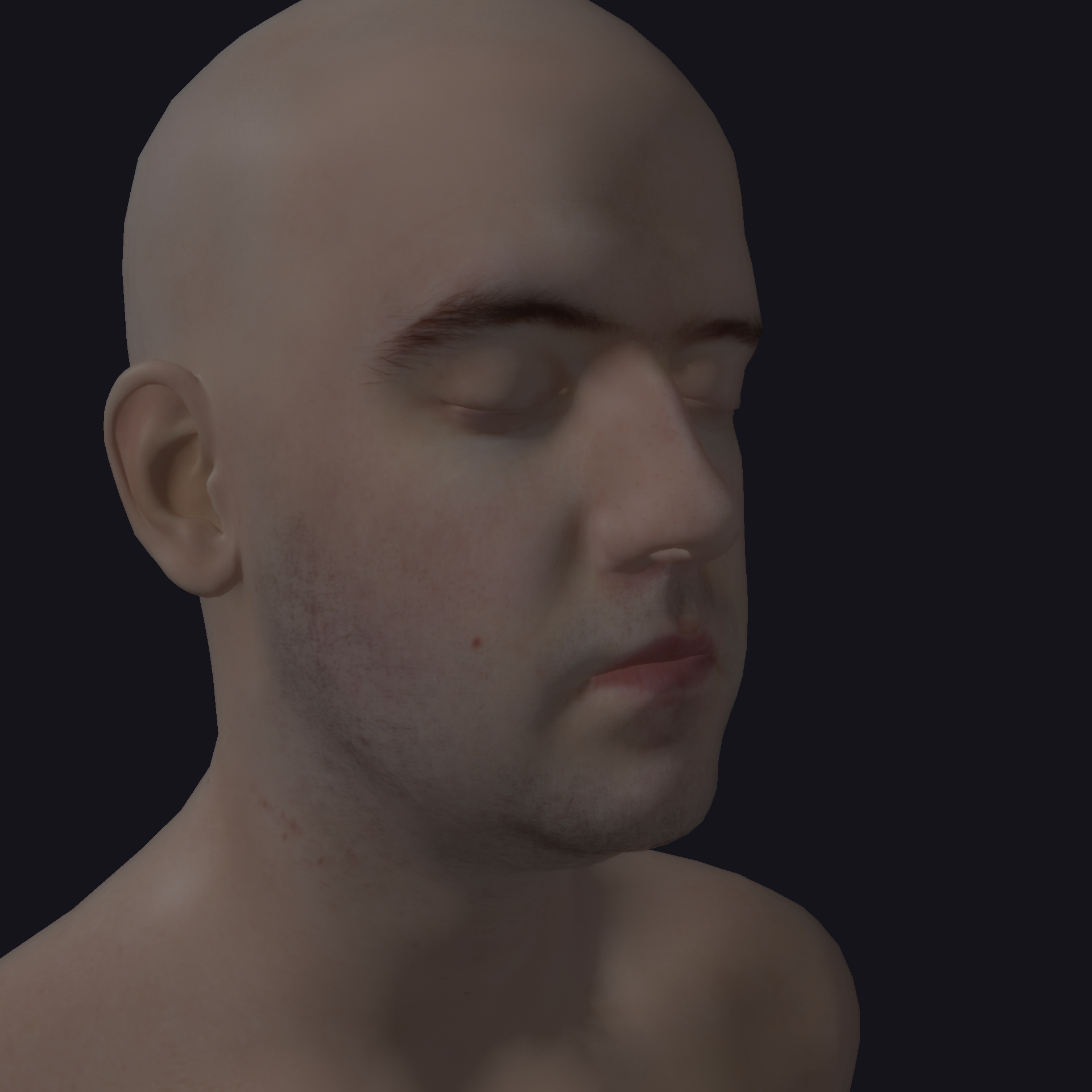
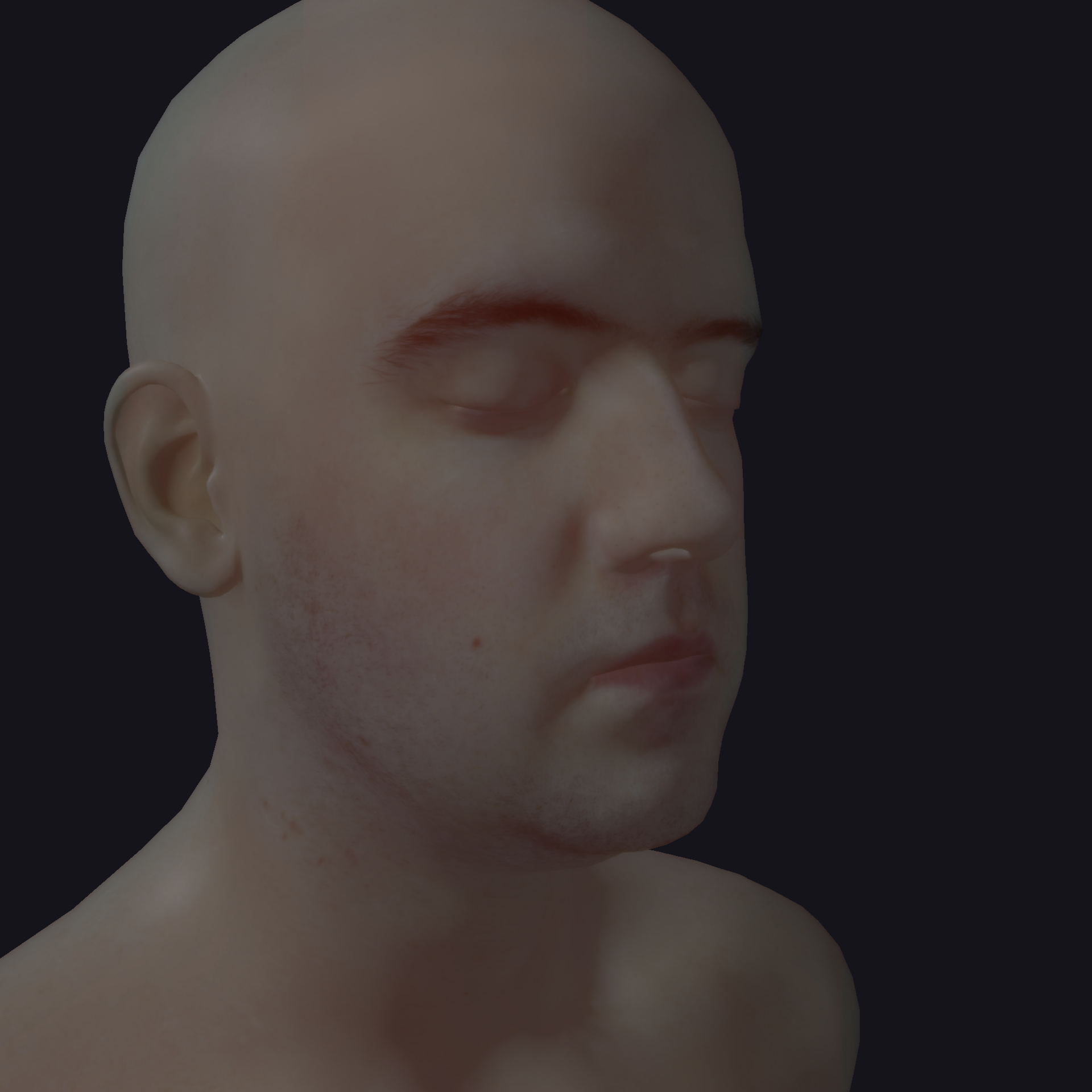
Figure 2: Separable (left) vs 6-Gaussian (right). The 6-Gaussian mode produces subtle red color bleeding at shadow boundaries due to per-channel variance separation.
The difference between the two modes is most visible at shadow boundaries on the nose, chin, and forehead. In separable mode, the blur is uniform across all channels. In 6-Gaussian mode, the red channel scatters noticeably further due to its high weight at wide variances ($\sigma_4 = 1.99$, $w_R = 0.358$), while blue remains concentrated near the surface. This per-channel separation is physically motivated: in real skin, longer-wavelength (red) light penetrates deeper into the dermis and scatters over a wider area.
4.3 Bloom Effect
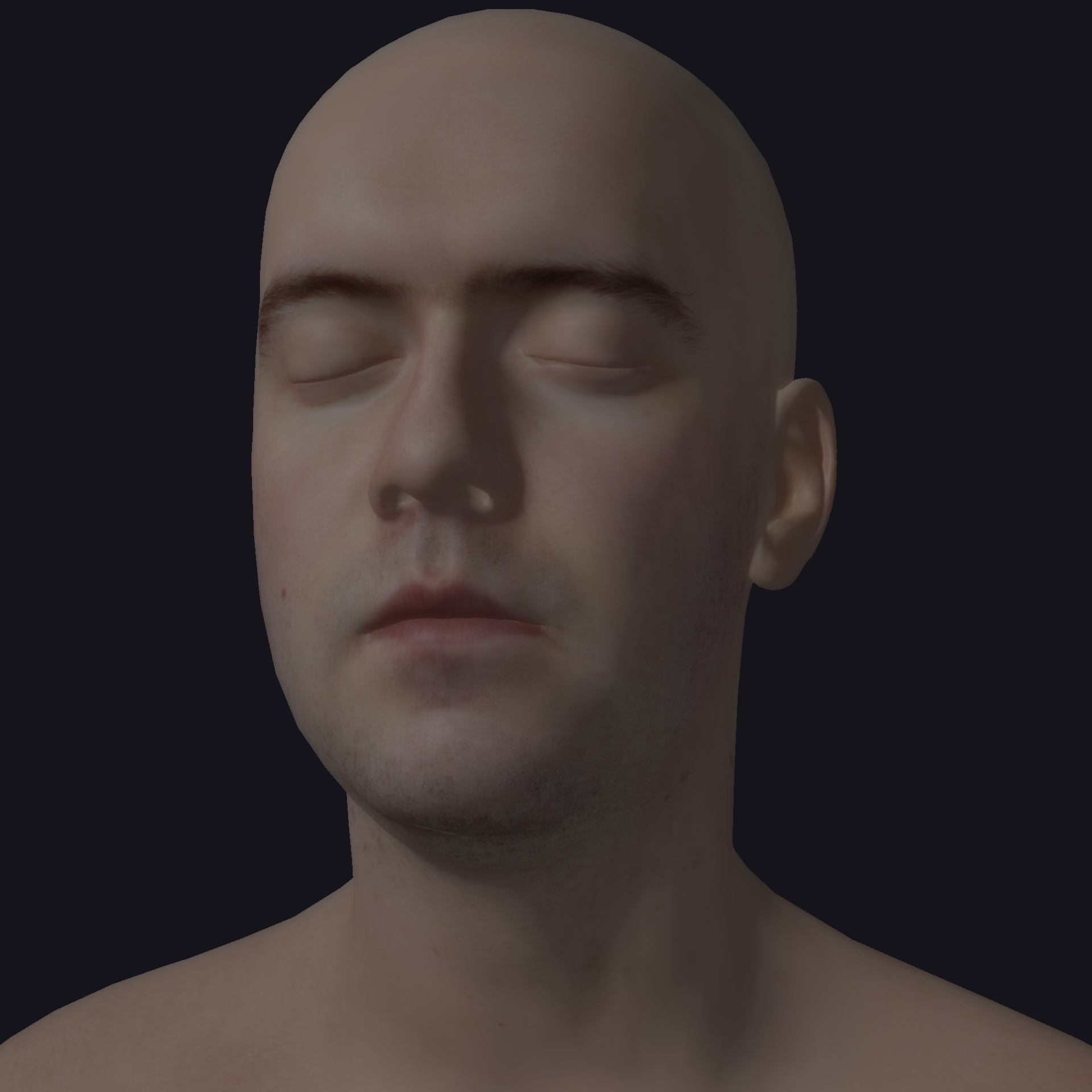
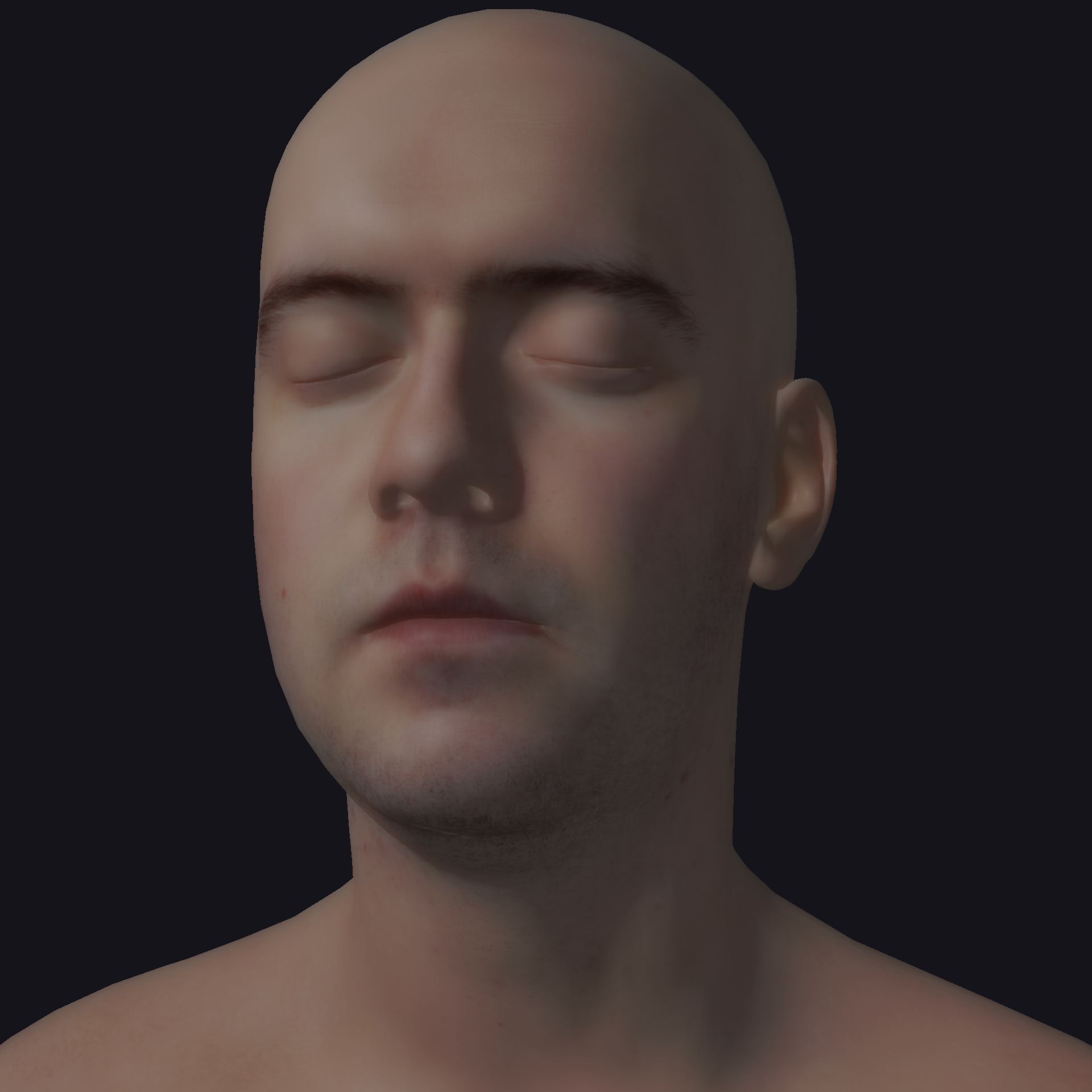
Figure 3: Bloom adds a natural glow around bright specular highlights.
Bloom is applied before tone mapping, which means it operates in the linear HDR domain. The bright extraction threshold determines which pixels contribute to the glow. A lower threshold captures more of the diffuse surface, while a higher threshold isolates only the strongest specular highlights. The effect is most noticeable when the light source is positioned to create strong specular reflections on the forehead or nose.
4.4 Skin vs Non-Skin Objects
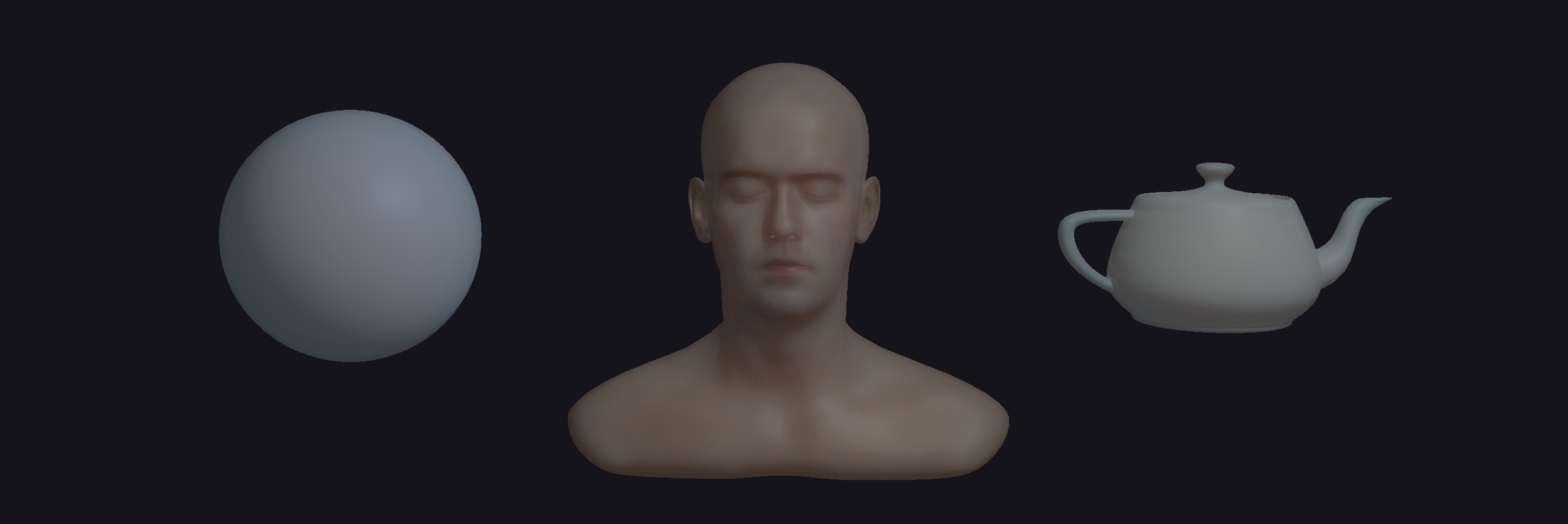
Figure 4: The head (matte=1) receives SSS blur while the teapot and sphere (matte=0) retain sharp lighting, demonstrating selective application of subsurface scattering.
The matte mask cleanly separates SSS-eligible pixels from non-skin geometry. The teapot and sphere retain hard, well-defined shadow edges characteristic of opaque materials, while the head exhibits the soft, diffused transitions expected from translucent skin. This side-by-side comparison demonstrates that SSS is not merely a global blur — it is a material-specific effect that must be selectively applied.
4.5 BRDF Comparison
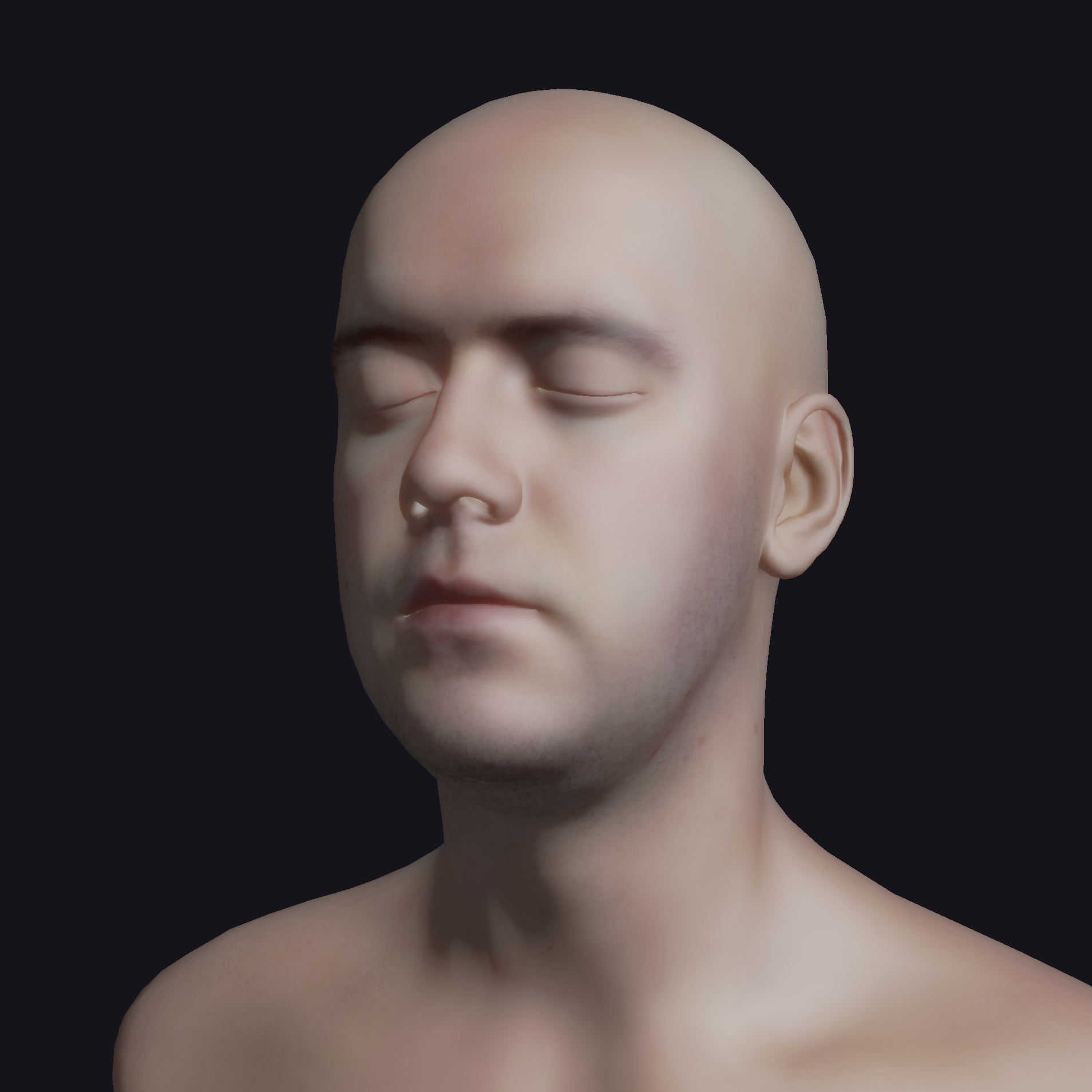
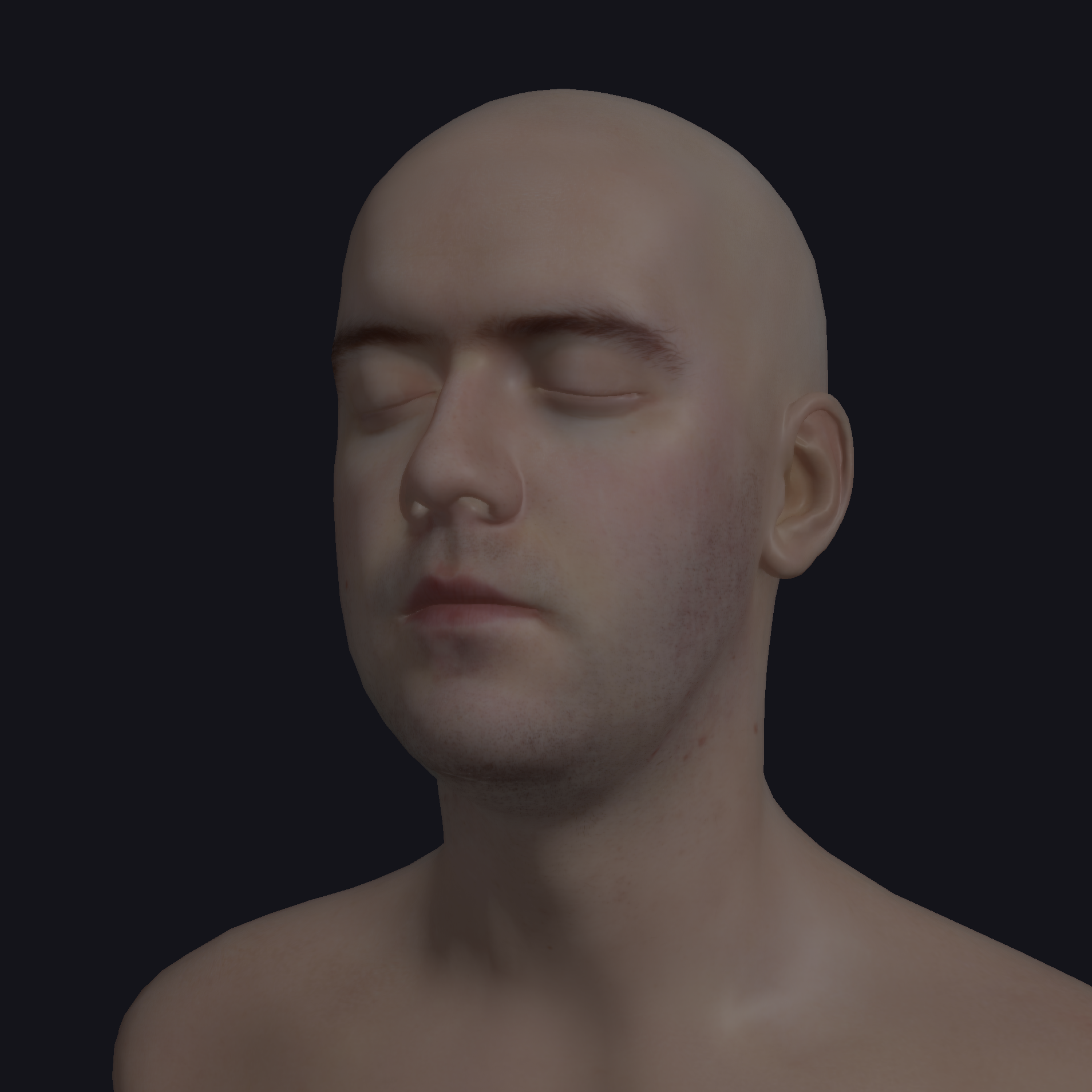
Figure 5: Blinn-Phong (left) vs GGX PBR (right). GGX produces more physically accurate specular highlights with Fresnel rim lighting.
The GGX model produces a tighter, more concentrated specular highlight that responds naturally to roughness changes. At low roughness, the highlight is sharp and mirror-like; at high roughness, it broadens into a diffuse sheen. The Schlick Fresnel term adds increased reflectance at grazing angles (visible at the silhouette edges of the head), which is absent in the simpler Blinn-Phong model. Both models are adapted from the course Assignment 4/6 implementation and are switchable at runtime for comparison.
4.6 Debug Views
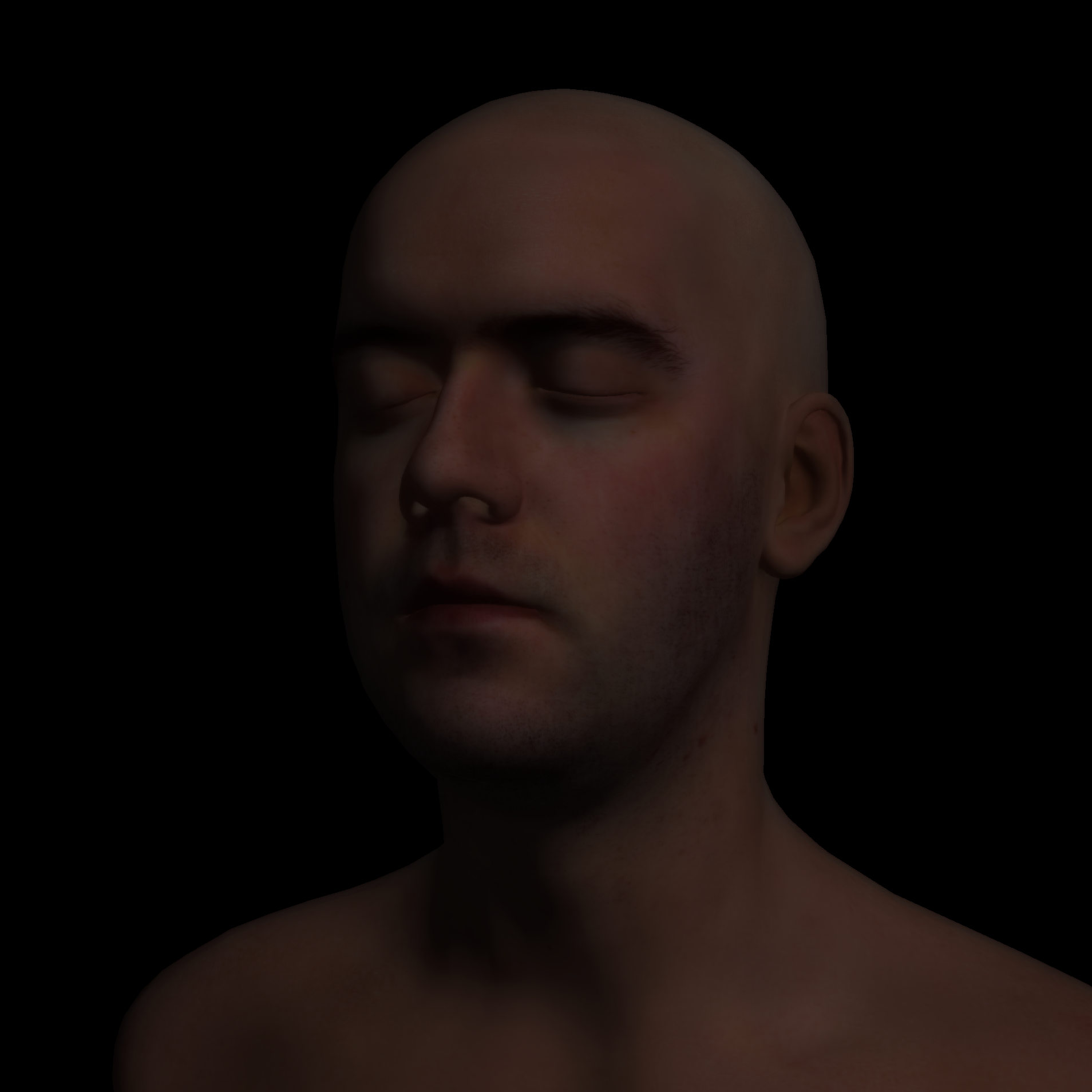
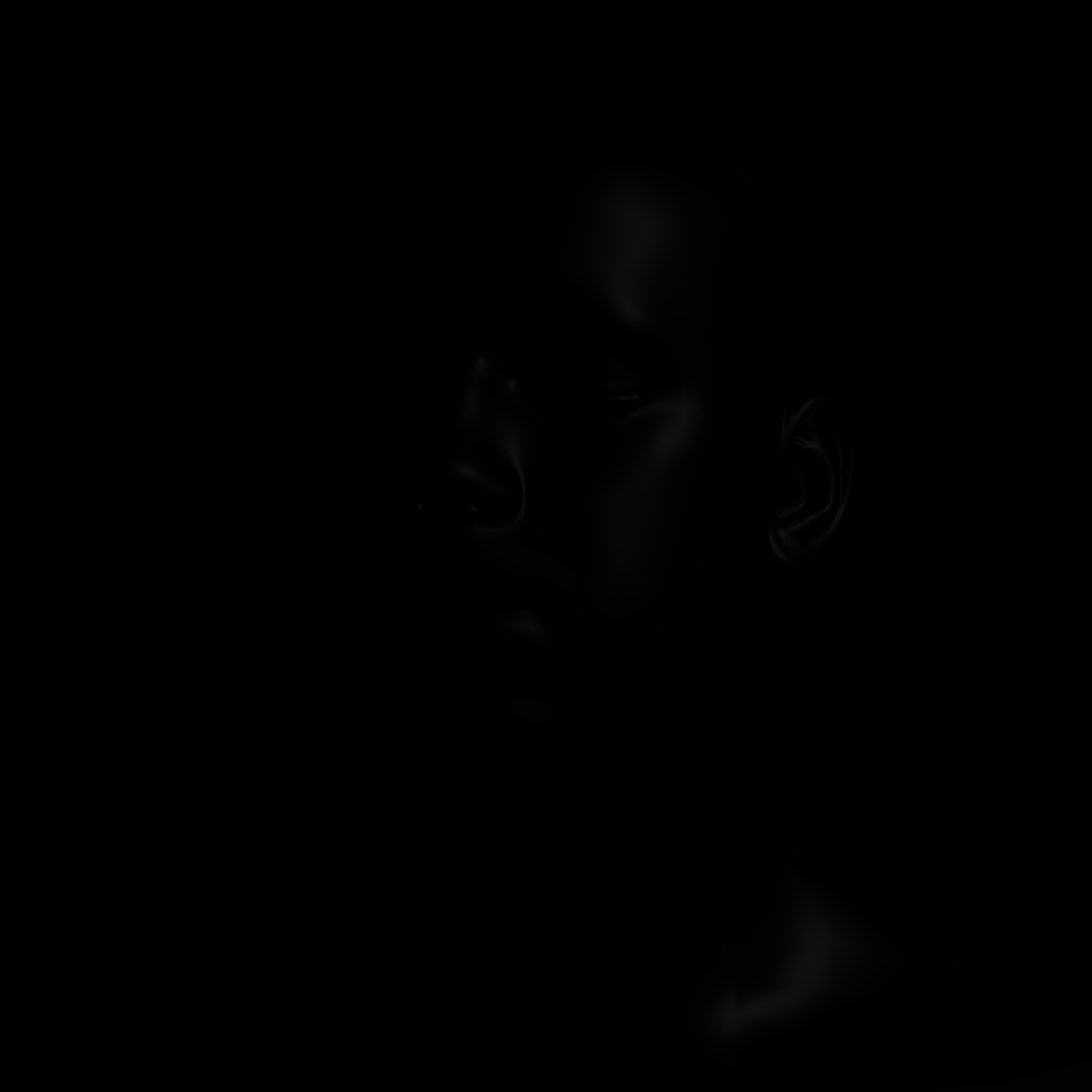
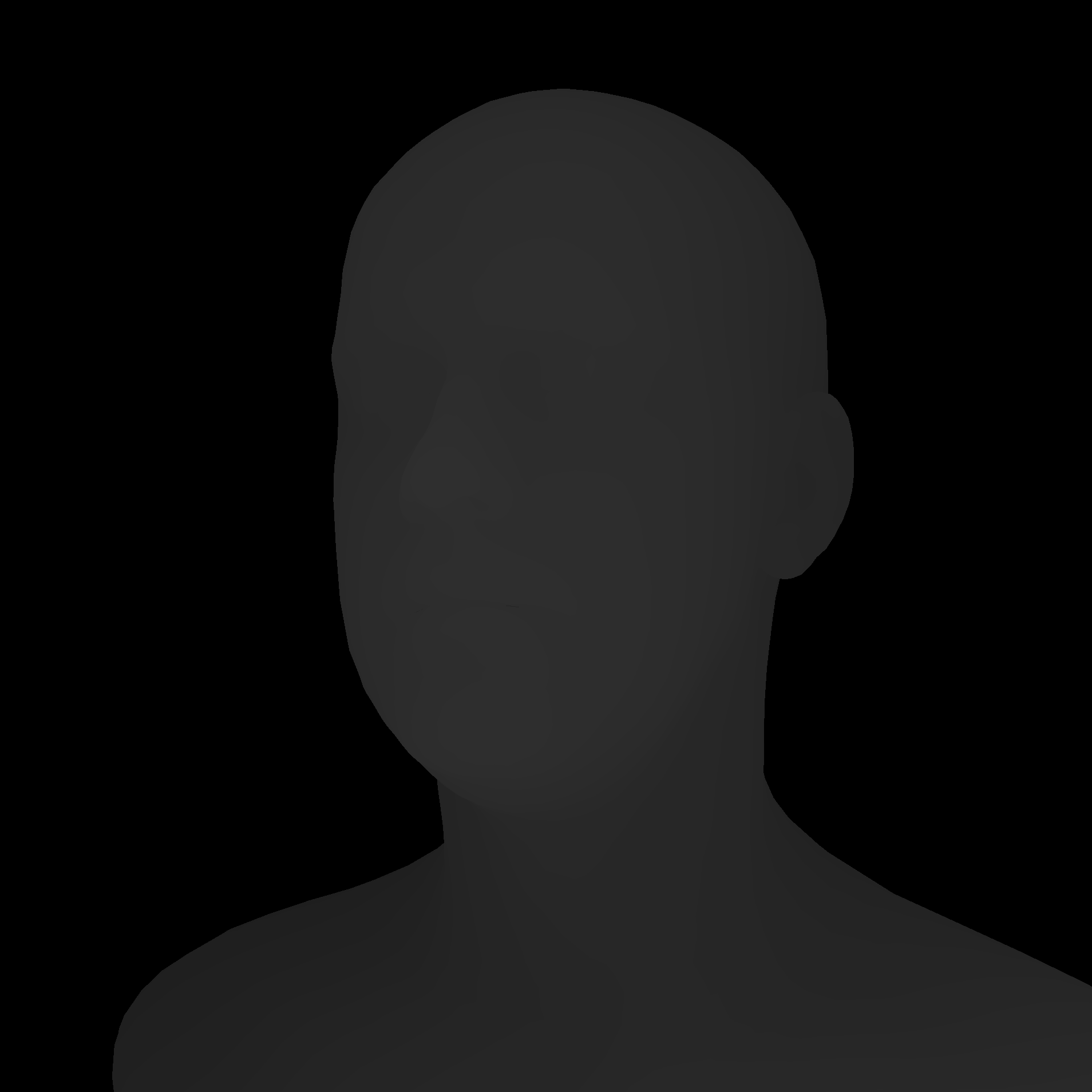


Figure 6: G-Buffer debug views — Diffuse, Specular, Depth, Matte, and Bloom channels (light intensity increased to make channels more visible).
5. Conclusion
This project demonstrates that screen-space subsurface scattering can produce perceptually convincing skin rendering in real time using WebGPU. The separable blur approximation offers a good balance between quality and performance, while the full 6-Gaussian mode provides more physically accurate per-channel scattering at the cost of additional render passes.
Several limitations remain. While albedo texture mapping is implemented, normal maps and specular AO textures are not yet integrated, limiting fine surface detail. Transmittance (light passing through thin geometry such as ears) is not implemented. The SSS blur can produce halo artifacts at silhouette edges where skin meets the background. Additionally, the current implementation uses a single point light; the reference demo uses a 3-point lighting setup with shadow maps.
Future improvements could include normal and specular AO texture mapping, transmittance for thin features, stencil-based SSS masking to eliminate halo artifacts, and multiple light sources with shadow mapping.
References
- Jimenez, J., Sundstedt, V., and Gutierrez, D. 2009. Screen-Space Perceptual Rendering of Human Skin. ACM Trans. Appl. Percept. 6, 4, Article 23.
- Jimenez, J., et al. 2015. Separable Subsurface Scattering. Computer Graphics Forum 34, 6.
- d'Eon, E., Luebke, D., and Enderton, E. 2007. Efficient Rendering of Human Skin. Proc. Eurographics Symposium on Rendering.
- Jimenez, J. and Gutierrez, D. 2012. Separable SSS Reference Implementation. github.com/iryoku/separable-sss
- McGuire, M. 2017. Computer Graphics Archive. casual-effects.com/data (Lee Perry-Smith Head, CC BY 3.0).